6 in 1 Wireless Charging Dock Station – Wireless Charger for iPhone, Fast Charging Pad for Phone and Watch, 10W or 15W


6 in 1 Wireless Charging Dock Station – Wireless Charger for iPhone, Fast Charging Pad for Phone and Watch, 10W or 15W
6 in 1 Wireless Charging Dock Station for Phone, Watch and Earbuds
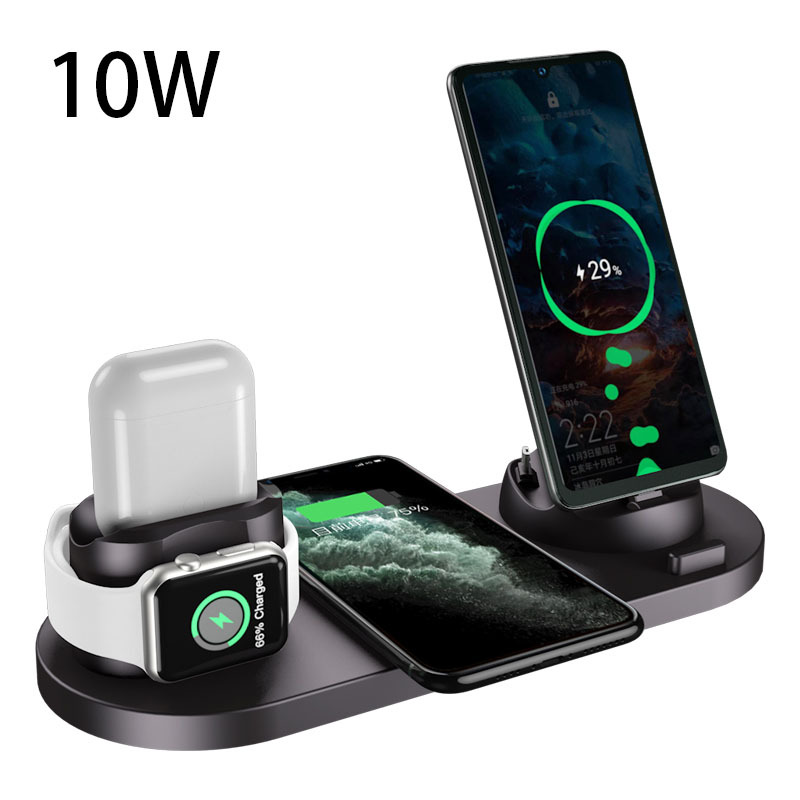
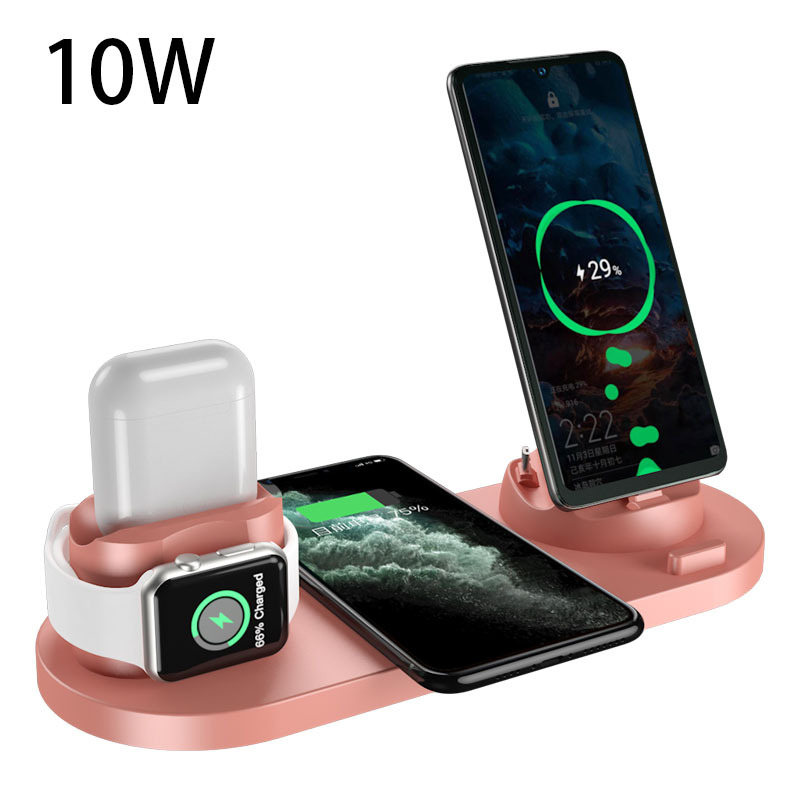
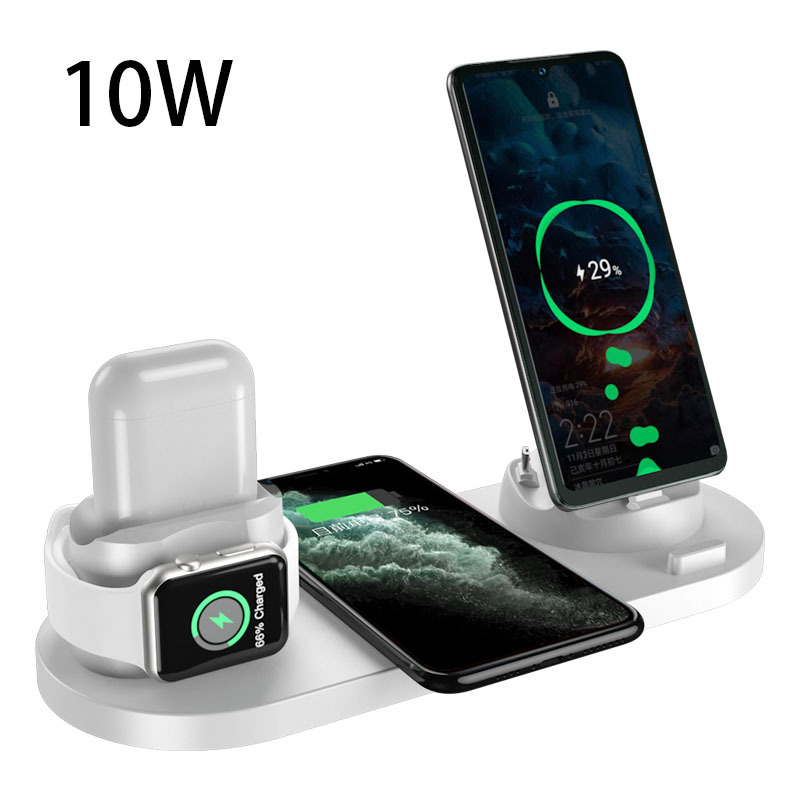
This 6 in 1 wireless charging dock puts a phone, a smartwatch and a set of earbuds on one base, with room to charge more devices by cable. The supplier lists it as a wireless charger for iPhone and other phones, in a 10W or a 15W version and in black, pink or white. The base measures 23 cm long, 9 cm wide and 5 cm high. Easy Life Markets sells it as a single charging station for a desk or bedside table.
The idea is simple: one cable to the dock instead of a tangle of chargers. The flat pad in the middle charges a phone by inductive charging, so you just lay the phone down. The other positions hold a watch, an earbud case and a second phone upright. If you charge several things every night, it tidies the whole lot into the footprint of a pencil case.
The Charging Positions
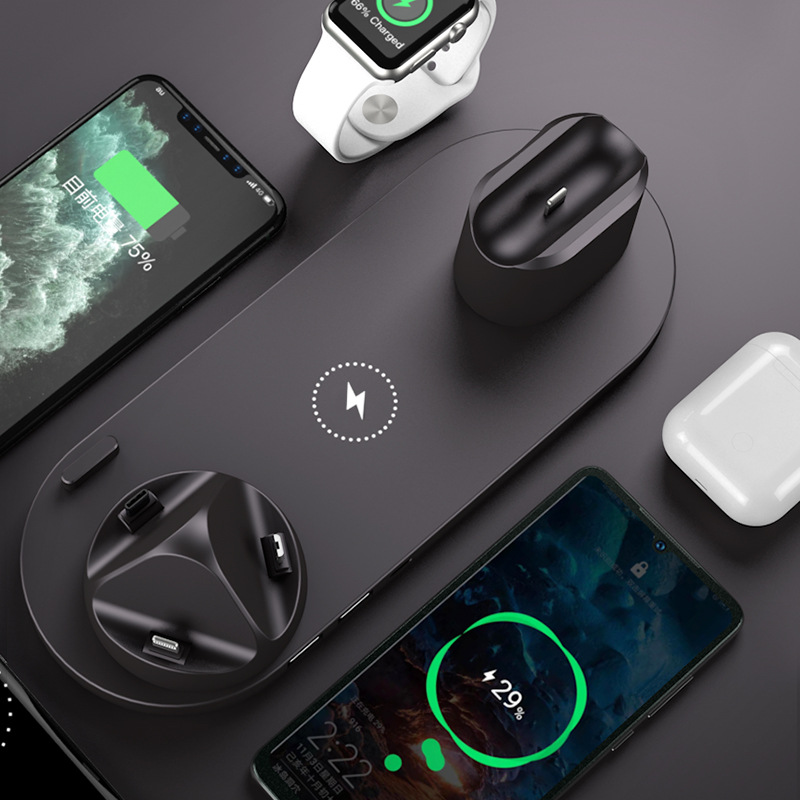
Going by the supplier's photos, the dock is laid out like this:
- Wireless pad: a flat pad in the centre of the base for a phone that supports wireless charging.
- Upright phone dock: a stand at one end with connector tips on a rotating post, so a second phone can be plugged in and stood up.
- Watch position: a raised holder at the other end where a smartwatch sits.
- Earbud position: a dock beside the watch holder for a wireless earbud charging case.
- USB ports: two USB-A sockets on the side of the base for charging other devices with your own cables.
- Power input: a Type-C socket on the base.
Specifications
- Type: Wireless charging dock
- Versions: 10W or 15W
- Colours: Black, Pink, White
- Input: 5V
- Output: 5V
- Charging current: 2000 mA
- Interface: USB
- Indicator: Yes, the supplier lists an indication function
- Size: 23 x 9 x 5 cm
- Brand: Unbranded
What Is in the Box
- 1 x charger (the dock)
The supplier's packing list stops there. A wall adapter is not listed, and neither is a cable, although one photo shows a cable plugged into the base. Plan to use your own USB power adapter, and ask us if you need to know whether a cable is supplied with the version you want.
Choosing Between 10W and 15W
The two versions look the same in the photos. The figure is the rating the supplier gives for the dock. How fast your phone actually charges depends on the phone, because every phone limits the wireless power it will accept, and on the power adapter you plug the dock into. A weak adapter shared between a phone, a watch and earbuds will slow everything down. Note that the supplier gives the same electrical figures, 5V and 2000 mA, for both versions and does not explain how the 15W one differs inside. If that detail matters to you, ask us before choosing.
Will It Work with Your Devices?
The title names iPhone, and the photos show an Apple-style watch and earbud case, but the supplier gives no list of models. Check these points:
- Wireless pad. Your phone must support wireless charging. Phones without it will not charge on the pad, though they can use the upright dock or a USB port.
- Upright dock. Look at the connector tips in the photos and make sure one matches your phone's charging port. A thick case may stop the phone seating properly.
- Watch. The supplier does not explain how the watch position is powered, or which watches it suits. Some docks of this kind have a built-in charging pad and others hold your own watch charger. Ask us before ordering if this matters to you.
- Earbuds. Compare the dock with your charging case. Cases differ in size and in where the charging contact or port sits.
This is not an Apple product and the supplier makes no claim of certification by any phone maker.
Setting It Up
- Put the dock on a flat, hard surface with space around it.
- Connect it to a good-quality USB power adapter.
- Place the phone in the centre of the wireless pad. If charging does not start, move it slightly until it does.
- Take off metal plates, magnetic mounts and cards from the back of the phone. Metal between the phone and the pad blocks charging and gets hot.
- Turn the rotating post to the tip that suits the second phone before docking it.
Care and Safe Use
Wireless charging always produces some warmth, so do not cover the dock or use it on bedding. Keep liquids away from it and unplug it before wiping it with a dry cloth. If a device or the dock becomes hot to the touch, unplug it and check for metal objects or a misaligned phone.
Who It Suits
Anyone who charges a phone, a watch and earbuds in the same place every day, households with two phones sharing one bedside table, and people who want fewer plugs in the wall.
Common Questions
Does it come with a wall plug? One is not listed. The dock takes power through its Type-C socket from a USB adapter.
Can it charge Android phones? The pad works with phones that support wireless charging, and the upright dock needs a matching connector tip. The supplier lists no specific models.
What colours are there? Black, pink and white, each in 10W or 15W.
Buy the 6 in 1 Wireless Charging Dock at Easy Life Markets
Pick your colour and version above. The current price and availability are shown on this page. Please read our return and refund policy before buying.
Related Products
- 3 in 1 magnetic folding wireless charger
- Five-in-one magnetic wireless charging stand, 15W
- Magnetic car phone holder with 15W wireless charger
Browse our phones and accessories and electronics collections.
Product Photos