HY300 Pro Portable Mini Projector – 1080P Smart Home Theater Projector, 65W, Max 130cm Projection, for Home Cinema, Movie and Party


HY300 Pro Portable Mini Projector – 1080P Smart Home Theater Projector, 65W, Max 130cm Projection, for Home Cinema, Movie and Party
HY300 Pro Portable Mini Projector – 1080P Smart Home Theater Projector, 65W
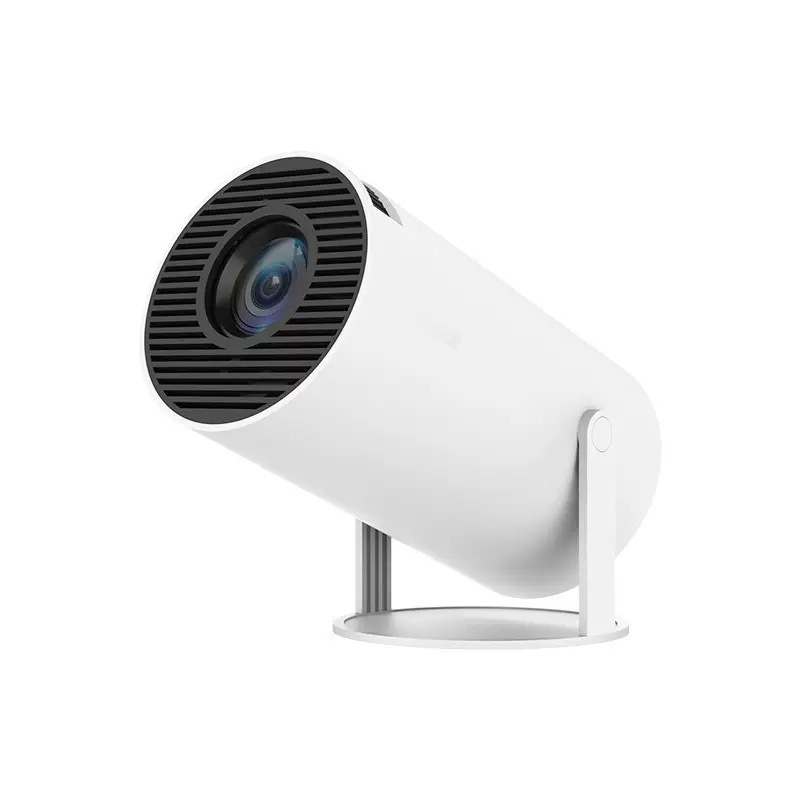
This portable mini projector is the HY300 Pro, a compact white cylinder that sits in a pivoting stand and throws a picture onto a wall, a screen or the ceiling. The supplier lists support for 1080P Full HD at 1920 × 1080, a projection size of up to 130 cm and a rated power of 65W. It comes in two versions and with four plug types. Easy Life Markets sells it as one projector with its remote, power cable and manual.
A small video projector will not replace a living-room television in daylight. What it does well is turn a bedroom wall, a tent or a garden fence into a screen for an evening, then go back in a drawer. The swivel stand is the useful part of this design: you can tip the barrel up to point at the ceiling and watch lying down.
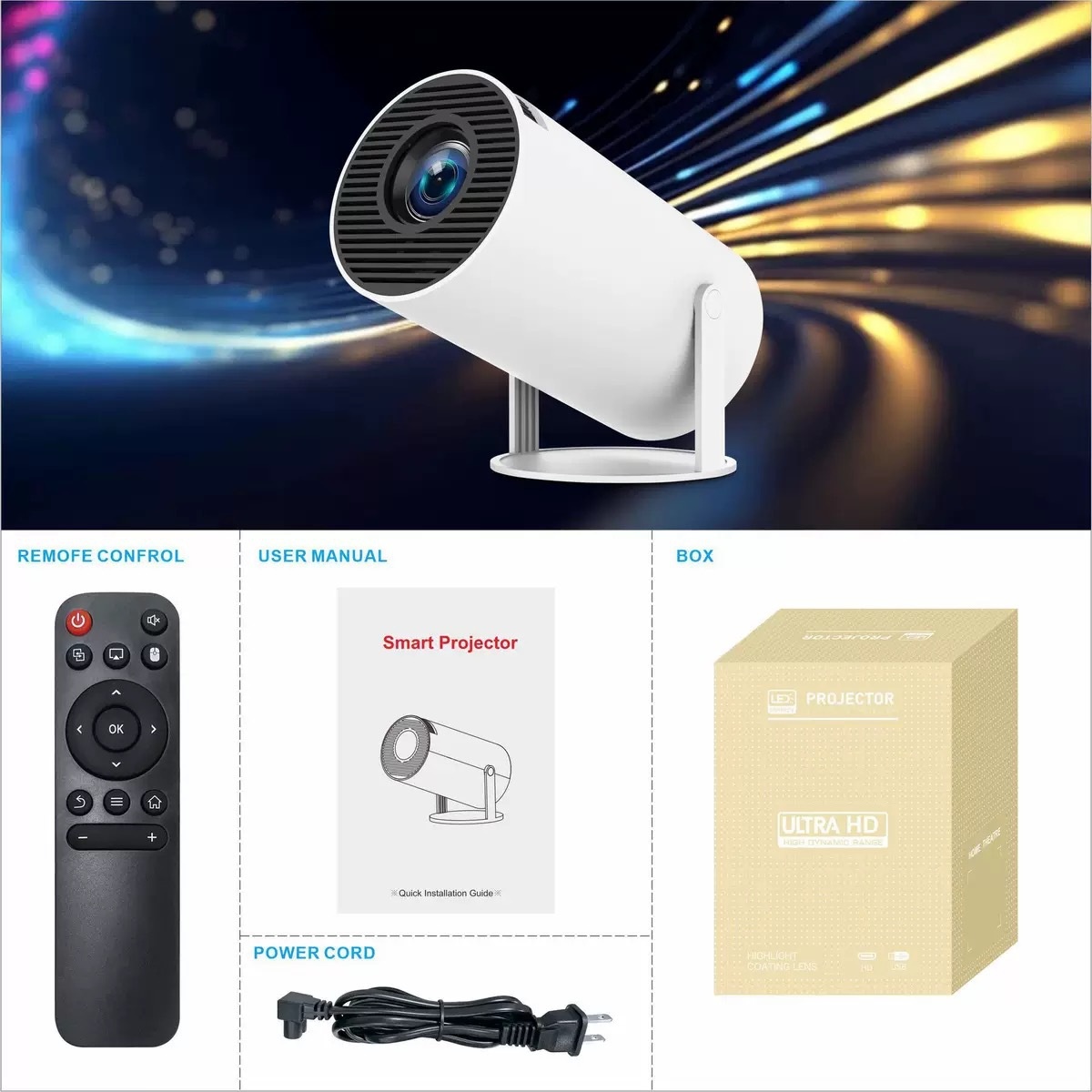
What Is in the Box
- 1 × projector on its stand
- 1 × remote control
- 1 × power cable
- 1 × user manual
- Colour gift box
Batteries for the remote, an HDMI cable and a projection screen are not listed.
Specifications
- Model: HY300 Pro
- Resolution: 1080P Full HD (1920 × 1080) supported, per the supplier
- Projection size: Up to 130 cm, per the supplier
- Rated power: 65W
- Stand: Adjustable, for changing the projection angle
- Versions: Basic screen mirroring; Wi-Fi same-screen model
- Plug types: AU, UK, EU, US
- Colour: White
What the Supplier Does Not State
Projector listings are often generous with headline figures and quiet about the ones that matter. Here is what is missing from this one:
- Brightness. No lumen figure is given. Plan to use it in a dark or dim room.
- Native resolution. The supplier says 1080P is "supported". That wording does not tell you whether the panel itself is 1080P or whether the projector accepts a 1080P signal and scales it. We have not tested it, so we repeat the supplier's wording and no more.
- Inputs. The ports are not listed in the text.
- Speaker, operating system and apps. The title says "smart", but the listing names no system, no app store and no speaker output.
- Throw distance. The distance needed for a given picture size is not given.
If any of these decides the purchase for you, ask us and we will put the question to the supplier before you order.
Choosing the Version and Plug
The two versions are named by the supplier as "Basic screen mirroring" and "Wifi same screen model". Both names refer to showing a phone's screen through the projector. The supplier does not explain the difference in more detail. Pick the plug type that matches your wall sockets: AU, UK, EU or US. The plug shape is the only thing that option changes, as far as the listing shows.
Getting a Good Picture
- Darken the room. This matters more than any setting. Close the curtains and switch off lamps near the wall.
- Use a pale, flat surface. A white matt wall works. A proper screen or a sheet of white blackout cloth works better than a bedsheet, which lets light through.
- Square it up. Place the projector level and directly in front of the centre of the picture. Tilting it makes the image wider at one edge. Use the stand for height and keep the angle as small as you can.
- Focus last. Set the size by moving the projector nearer or further, then focus on text or subtitles.
- Keep the vents clear. The front grille is an air path. Do not stand the projector on a duvet or cover it.
Sound
Small projectors have small speakers, when they have one at all. For a film night, plan on a separate speaker or headphones if the projector's outputs allow it. Check the manual for the audio options on the unit you receive.
Ceiling Viewing
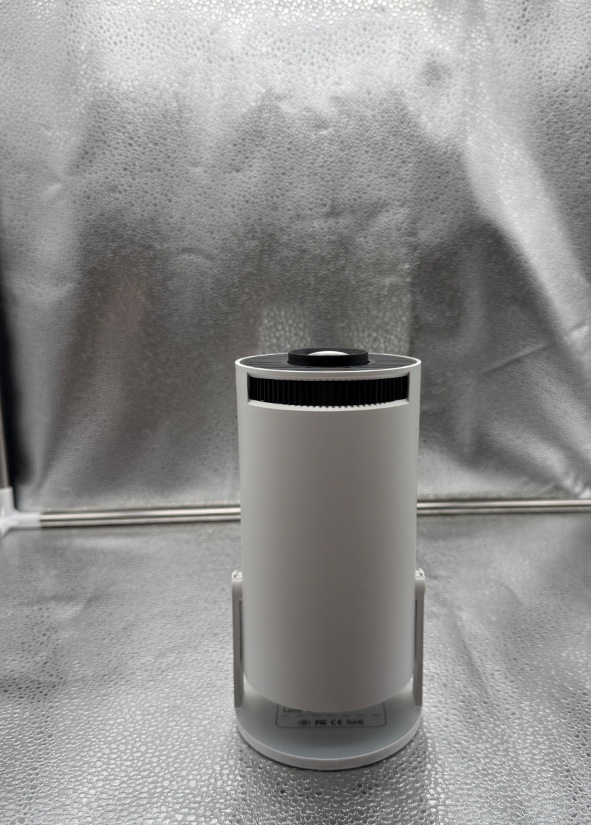
Tip the barrel straight up on its stand and the picture lands on the ceiling above the bed. A plain white ceiling works well. Textured or coloured ceilings soften the image, and a ceiling light in the middle of the picture will get in the way, so shift the projector until the image clears it.
Looking After It
- Let it cool for a few minutes before packing it away.
- Clean the lens with a dry microfibre cloth. Do not use household cleaner on it.
- Keep it dry. The supplier mentions backyard use, which means a dry evening, not rain or dew.
- Unplug it during thunderstorms and when it will not be used for a while.
Who It Suits
People who want an occasional big picture in a bedroom or a rented flat without mounting a television, families planning film nights and parties, and anyone who likes the idea of watching on the ceiling.
Common Questions
Can it be used in daylight? Expect a washed-out picture in a bright room. It is meant for dim conditions.
Does it run on a battery? No battery is listed. It runs from the mains with the supplied cable.
Can I mirror my phone? Both versions are named for screen mirroring. Paid streaming apps often block mirroring, so do not count on those.
Is it a branded projector? It is sold under the HY300 Pro model name. We make no brand claim beyond the supplier's listing.
Buy the HY300 Pro Portable Mini Projector at Easy Life Markets
Choose your version and plug type above. The current price and availability are shown on this page. Please read our return and refund policy before buying.
Related Products
Browse our TVs and home theater and electronics collections.
Product Photos