G10 Voice Remote Control with Air Mouse – G10, G10S Gyroscope, G10S Pro Backlit and G10BTS Bluetooth Versions


G10 Voice Remote Control with Air Mouse – G10, G10S Gyroscope, G10S Pro Backlit and G10BTS Bluetooth Versions
G10 Voice Remote Control with Air Mouse – G10, G10S, G10S Pro and Bluetooth Versions
This G10 voice remote control is a slim, curved handset for Android TV boxes and computers. It combines ordinary remote buttons with a microphone for voice input and, on most versions, a gyroscope that lets you move an on-screen pointer by tilting the remote. It is offered in four versions that look alike but differ in what they include. Easy Life Markets sells each one as a single remote in its box.
The appeal is simple. Typing a film title with arrow keys is slow, and speaking it is fast. A remote with a microphone hands your voice to the box's own voice interface, and the pointer covers apps that were designed for a touch screen and do not behave with a D-pad.
What Is in the Box
- 1 × remote control
- 1 × packing box
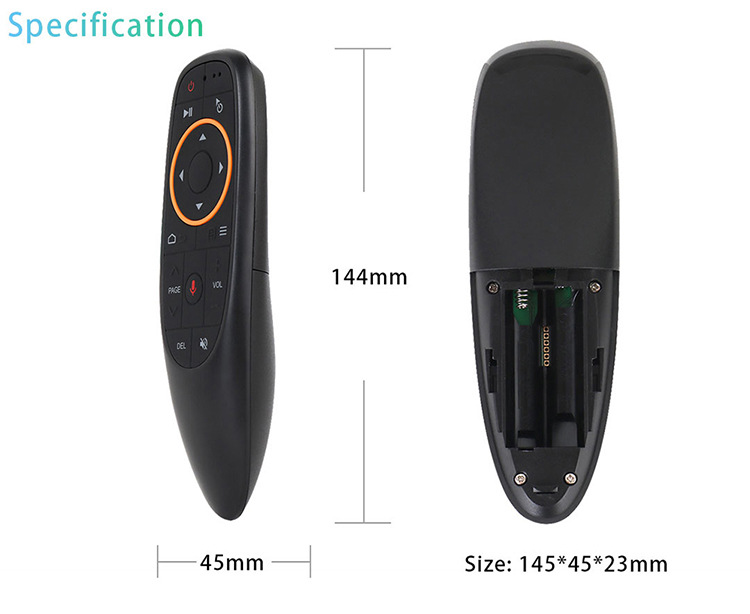
That is the supplier's packing list. Its photos of the 2.4G versions also show a small USB receiver and a printed instruction sheet with the remote. The battery compartment in the photos holds two cells. Batteries are not on the packing list, so have two AAA batteries ready.
The Four Versions
- G10 voice: 2.4G remote with voice input. The supplier describes this one as "without gyroscope".
- Voice gyroscope (G10S): 2.4G remote with voice input and gyroscope air mouse.
- Voice gyroscope backlight (G10S Pro): As the G10S, with backlit keys.
- G10bts Bluetooth version: A Bluetooth version, shown in the photos with a blue ring.
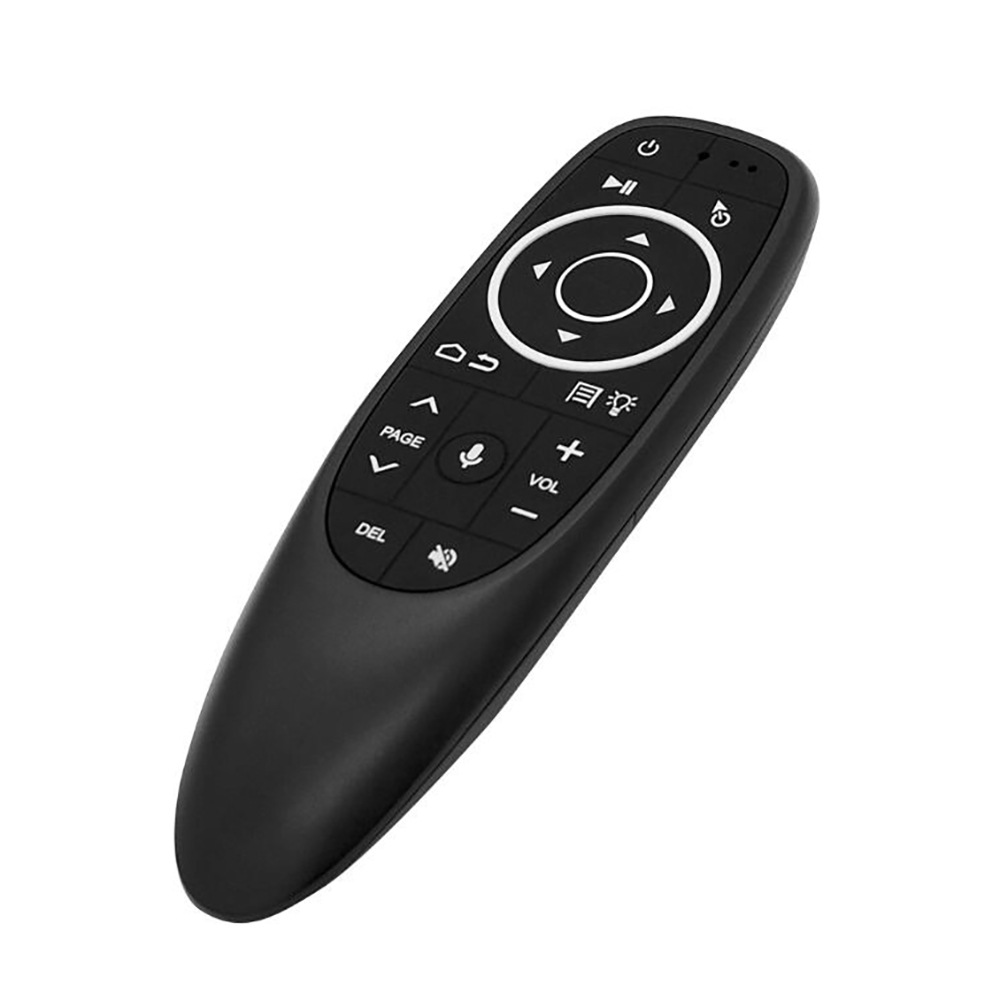
In the photos the versions can be told apart by the ring around the navigation pad: orange on the G10, white on the backlit G10S Pro, blue on the Bluetooth version.
A Note on the Supplier's Wording
The supplier's text says the plain G10 has no gyroscope, and in the next line lists "air mouse" among its features. Those two statements do not fit together, because the air mouse is what the gyroscope provides. We take the first statement as the accurate one. If you want the pointer, choose a version with "gyroscope" in its name.
Specifications
- Model: G10 series
- Connection: 2.4 GHz wireless through a USB receiver, or Bluetooth on the G10bts version
- Functions listed: Remote control, voice input, infrared learning, plus gyroscope and backlight on the versions named
- Wireless distance: 10 m
- Material: Plastic shell, silicone buttons
- Weight: 0.06 kg
- Listed for: Android players and computers
- Display or touch screen: None
Size: the supplier gives three different sets of figures. The text lists 164 × 40 × 15 mm and 165 × 44 × 18 mm, and the dimension picture shows 145 × 45 × 23 mm. Treat it as a handset roughly 15 to 16 cm long and about 4.5 cm wide.
Infrared Learning
The remote talks to the TV box by radio, so it cannot switch the television on by itself. One key can be taught to do that. According to the supplier's picture:
- Press and hold the power button on the G10 for 3 seconds. The red indicator starts to flash slowly, which means it is in learning mode.
- Point your TV's infrared remote at the G10 and press its power button.
- When the G10 receives the code, the indicator flashes and goes out. The power button now sends that code.
Will It Work with Your Device?
- 2.4G versions need a free USB-A port for the receiver and a device that accepts USB input devices. Android TV boxes and Windows, Mac and Linux computers do.
- The Bluetooth version needs a device with Bluetooth that accepts a Bluetooth remote. The supplier gives no pairing steps or compatibility list for it, so ask us before choosing it for a particular box.
- Voice needs a voice search or assistant function on the device. The remote supplies the microphone, and the box does the recognising. A box with no voice feature gains nothing from the microphone key.
- Smart TVs vary in how well they accept third-party pointers. Check the TV's manual.
Tips for Use
- Hold the microphone key while you speak and release it when you finish.
- Switch the pointer off with the mouse key when you only need the arrow keys. The cursor disappears and the batteries last longer.
- If the pointer drifts, rest the remote flat on a table for a few seconds so the sensor can settle.
- Plug the receiver into a front port if the box sits behind the TV.
Batteries and Standby
Battery-powered air remotes normally go to sleep when they are left alone and wake when you press a key, so the first press after a pause can take a moment to register. If the pointer becomes jumpy or the range drops, replace both batteries before looking for another cause.
Who It Suits
Owners of Android TV boxes and media PCs who want to search by voice, and anyone replacing a basic box remote with something that can also point and click.
Common Questions
Does it have a keyboard? No. For a remote with a keyboard on the back, see our MX3 air mouse.
Are batteries included? They are not listed.
Which version has lit keys? The one named "Voice gyroscope backlight".
Is it a branded remote? It is sold under the G10 model name. We make no brand claim beyond the supplier's listing.
Buy the G10 Voice Remote Control at Easy Life Markets
Choose your version above. The current price and availability are shown on this page. Please read our return and refund policy before buying.
Related Products
Browse our TVs and home theater and electronics collections.
Product Photos