Indoor HD TV Antenna with Amplifier – Flat HD Digital Signal Receiver for Free-to-Air Broadcast Channels


Indoor HD TV Antenna with Amplifier – Flat HD Digital Signal Receiver for Free-to-Air Broadcast Channels
Indoor HD TV Antenna with Amplifier – Flat Digital Signal Receiver
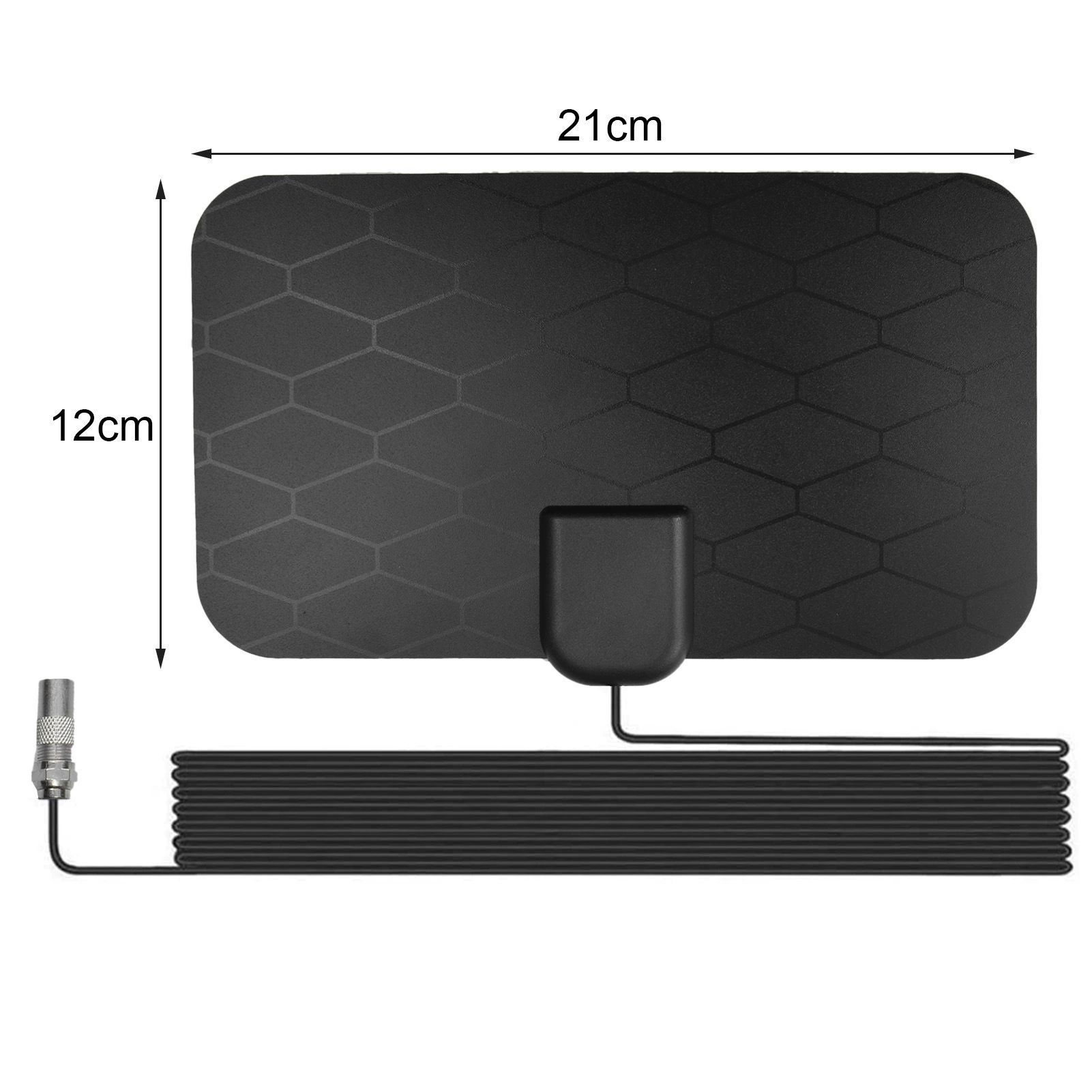
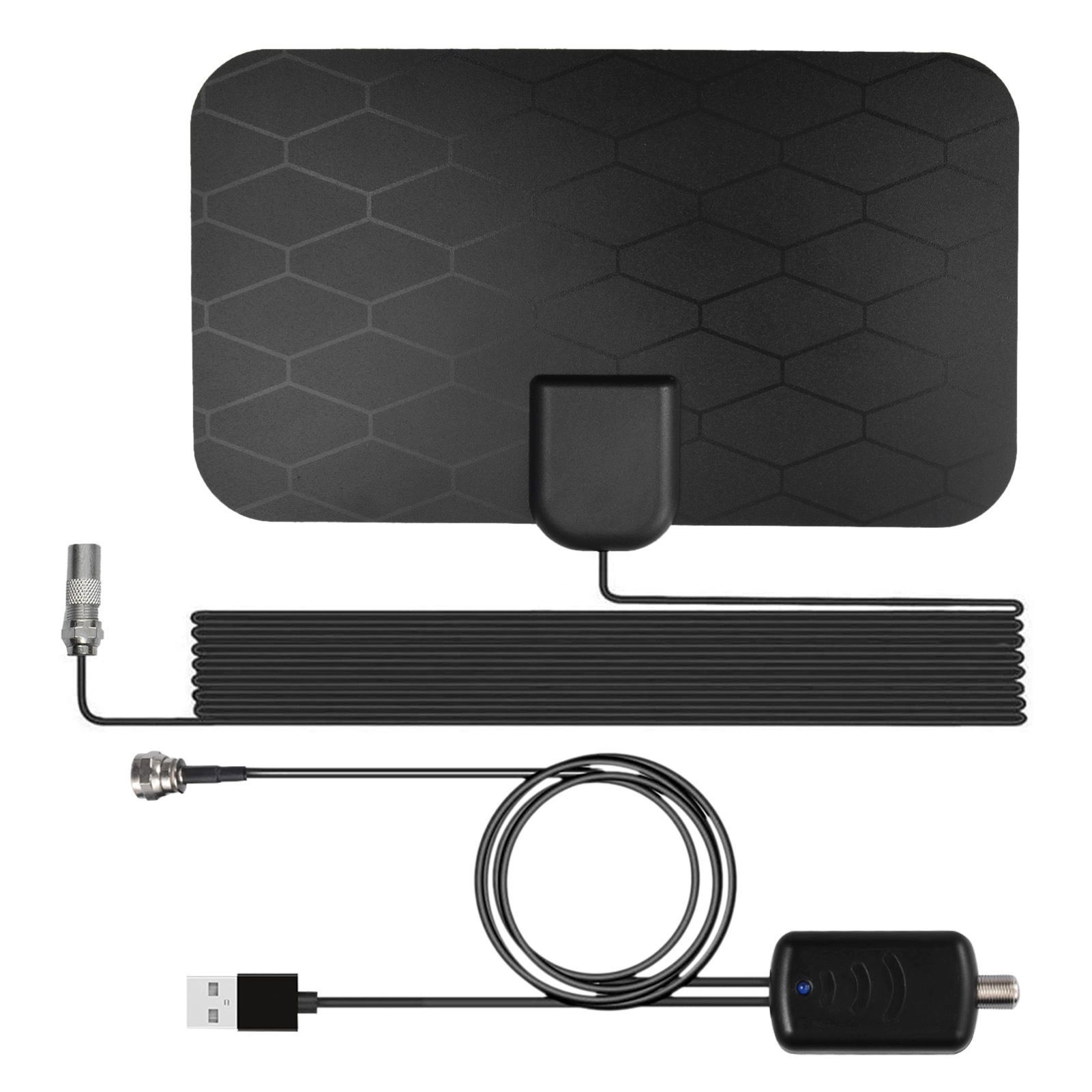
This indoor HD TV antenna is a thin black panel, about 21 cm by 12 cm, that picks up free-to-air digital broadcast television and feeds it to the antenna socket on your TV. It comes with a separate inline amplifier powered from a USB port, and a cable listed at 10 ft, so the panel can go on a wall or window some distance from the set. Easy Life Markets sells it as one antenna with one amplifier.
A television antenna receives the channels that broadcasters transmit over the air, which cost nothing to watch once you have the equipment. In many places those broadcasts are in high definition. A flat panel like this does the same job as a set-top aerial, without the rods, and it is light enough to fix to a window with tape or adhesive pads.
What Is in the Box
- 1 × flat panel antenna with attached cable
- 1 × inline signal amplifier with USB power lead
A USB power adapter is not listed. The amplifier can run from a USB port on the TV or from any 5V USB charger you already own.
Specifications
- Panel size: About 21 × 12 cm
- Gain: 5 dB for the antenna alone, 25 dB with the amplifier, as listed
- Impedance: 75 ohm
- Connector: TV plug with an F-type adapter
- Amplifier power: 5V from USB
- Cable length: 10 ft
- Polarisation: Listed as vertical
- Working temperature: Listed as -40 to +85 °C
- Colour: Black
- SKU: CJDS147281601AZ
A Straight Answer on Range and 4K
The supplier's material quotes a very long reception range for this antenna. We do not repeat that figure, because no indoor panel can deliver it. Broadcast television travels more or less in a straight line from the transmitter, and hills, buildings and the curve of the earth stop it. A small indoor antenna is a sensible choice when you live within reasonable reach of a transmitter and get a usable signal indoors. If homes around you rely on large rooftop aerials, an indoor panel is unlikely to replace one.
The supplier also describes the antenna as supporting 4K and HD. An antenna has no resolution of its own. It passes on whatever the broadcaster transmits, and the TV's tuner does the decoding. If a channel is broadcast in HD and your TV can decode it, you will see it in HD.
Will It Work with Your TV?
- The tuner. The TV needs a built-in digital tuner for the broadcast standard used where you live. Standards differ from region to region. Most TVs are sold with the right tuner for their market. A monitor, or a TV without a digital tuner, needs a separate set-top receiver.
- The socket. Look at the antenna input on the TV. Some sets have a push-in coaxial socket and some have a threaded F socket. The antenna's connector and its adapter cover both.
- The broadcasts. Check that free-to-air digital channels are transmitted in your area and roughly where the nearest transmitter is.
This antenna is for terrestrial broadcast TV. It does not receive satellite, cable or streaming services.
Setting It Up
- Switch the TV off.
- Connect the antenna cable to the amplifier, and the amplifier to the TV's antenna socket, using the adapter if needed.
- Plug the amplifier's USB lead into the TV's USB port or a 5V USB charger.
- Place the panel as high as you can, on or near a window that faces the transmitter if possible.
- Switch on, open the TV's menu, set the input to antenna or air, and run an automatic channel scan.
- Move the panel, rescan and compare. A change of half a metre can add or lose channels.
Getting More Channels
- Height and windows help. Signals lose strength passing through walls, and more through brick, concrete and foil-backed insulation than through glass.
- Try the panel both ways up. The supplier lists vertical polarisation. Broadcasts are horizontally polarised in some areas and vertically in others, so turn the panel a quarter turn and rescan to see which gives more.
- Keep it away from metal and electronics. Radiators, metal blinds, routers and LED lamps can all interfere.
- Try it without the amplifier. Close to a transmitter, an amplifier can overload the tuner and make reception worse. If channels break up, connect the antenna straight to the TV and scan again.
- Rescan from time to time. Broadcasters move channels, and the TV only finds them on a new scan.
Fixing the Panel
The panel is light and flat, so it can be taped to glass, stuck to a wall with adhesive pads, or stood behind the TV. Find the best position first with temporary tape and fix it properly once you are happy with the scan. The supplier lists a wide working temperature range but no weatherproof rating, so use it indoors and keep it dry.
Who It Suits
Households that want the free broadcast channels without a subscription, people adding a second TV in a bedroom or kitchen with no aerial point, and renters who cannot fit a rooftop aerial.
Common Questions
How many channels will I get? It depends entirely on what is broadcast where you live and how strong the signal is indoors. Nobody can promise a number.
Is there a monthly fee? Not for the antenna, and free-to-air channels carry no subscription.
Can it feed two TVs? It has one output. Splitting the signal weakens it, so a second antenna usually works better.
Does it need mains power? Only 5V from USB for the amplifier. The panel itself is passive.
Buy the Indoor HD TV Antenna at Easy Life Markets
The current price and availability are shown on this page. Please read our return and refund policy before buying, and contact us if you would like help checking your TV's connector.
Related Products
Browse our TVs and home theater and electronics collections.
Product Photos