Smart IR Remote Control – Tuya WiFi to Infrared Universal Gateway for Air Conditioner, TV and Set-Top Box, with Learning Function


Smart IR Remote Control – Tuya WiFi to Infrared Universal Gateway for Air Conditioner, TV and Set-Top Box, with Learning Function
Smart IR Remote Control – Tuya WiFi to Infrared Universal Gateway
This smart IR remote control is a small black hub that turns commands from a phone app into infrared signals, so one app can stand in for the handsets that run an air conditioner, a television and a set-top box. The supplier lists it as a Tuya WiFi device with a learning function, powered at 5V. Easy Life Markets sells it as a single unit in black.
Most home appliances with a remote still use infrared, the invisible light a handset flashes at the front of the device. This hub does the same flashing, but it takes its orders over your home Wi-Fi. That means you can switch the air conditioner on from another room, set a timer for the TV, or stop hunting for a handset that has gone down the back of the sofa.
What Is in the Box
- 1 × infrared remote control hub
The supplier's packing list names the unit only. No power cable, USB adapter or printed manual is listed, so plan to use a 5V USB supply and cable of your own unless you confirm otherwise with us.
Specifications
- Type: Infrared transponder (Wi-Fi to infrared gateway)
- Voltage: 5V
- Listed size: 70 × 70 × 48 mm
- Function: Universal remote with learning function
- Listed for: Home air conditioning, TV, set-top box
- Colour: Black
- SKU: CJZN107150201AZ
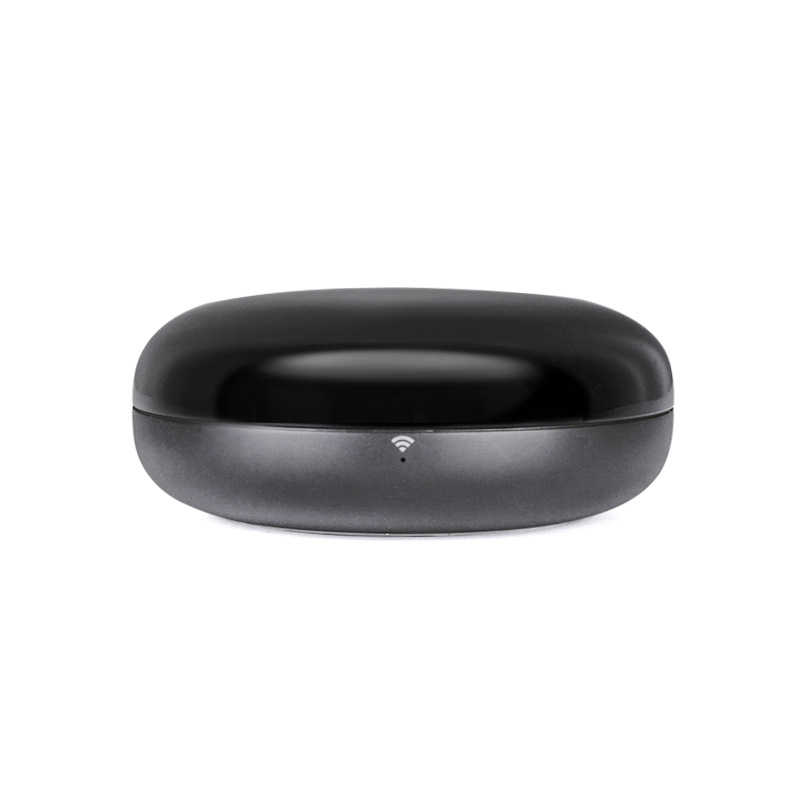
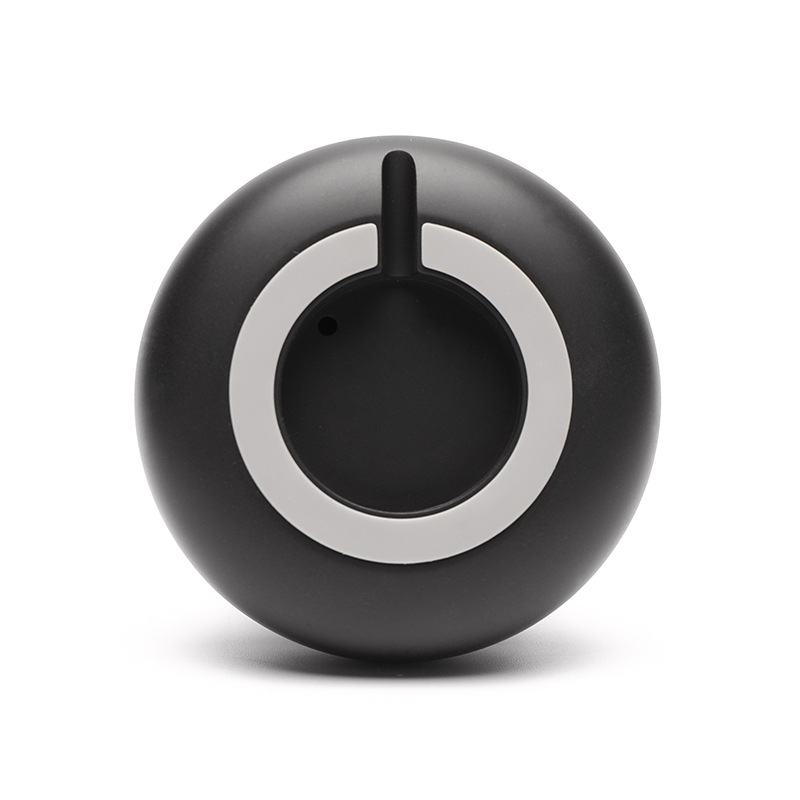
The photos show a low, rounded puck with a glossy top, a small Wi-Fi indicator on the side and a ring-shaped base. The 48 mm in the size line looks tall for the shape in the photos and may be the boxed measurement. The supplier does not say.
How It Works
- The hub joins your Wi-Fi network through the app.
- In the app you add each appliance, either by picking it from a built-in list of brands or by teaching the hub the buttons from the original handset.
- When you tap a button in the app, the hub sends the matching infrared code into the room.
The glossy top is there for a reason. Infrared passes through it, and hubs of this shape send their signal in all directions so they do not have to be aimed.
The Learning Function
A built-in code list never covers everything. Learning fills the gap. You point the original remote at the hub, press a button, and the hub records the code and stores it against a button in the app. It is slower than picking a brand from a list, because each button is taught one at a time, but it means an obscure fan, heater or older TV can still be added. You need the original remote in working order to do it.
What It Can and Cannot Control
- Infrared appliances only. If the original remote has to be pointed at the device, it is almost certainly infrared and is a candidate.
- Not Bluetooth or radio remotes. Many streaming sticks, some smart TVs' pointer remotes and most garage doors use radio and are outside what an infrared hub can do.
- One room at a time. Infrared does not go through walls. The hub has to be in the same room as the appliances, with a reasonably clear view of them. For another room you need another hub.
- Air conditioners are a special case. Their remotes send the whole state (mode, temperature, fan) with every press, which is why the app treats them differently from a TV.
Before You Buy: Three Checks
- Wi-Fi band. The supplier does not state the band. Most hubs of this kind connect on 2.4 GHz only, so make sure your router offers a 2.4 GHz network.
- The app. The listing describes a Tuya device. Tuya-platform devices are normally added in the Tuya Smart or Smart Life app. The supplier's listing does not name the app, and it does not list any voice assistant support, so we do not claim any.
- Power. It needs 5V and should stay powered all the time. A spare USB port on the TV works only if that port stays live in standby.
If any of these decides the purchase, ask us first and we will check with the supplier.
Where to Put It
Place the hub on an open shelf or table where it can see the front of each appliance, away from direct sunlight, which carries a lot of infrared and can shorten its range. Avoid shutting it inside a cabinet. If one appliance does not respond, move the hub before assuming the code is wrong.
Who It Suits
People with several remotes on the coffee table, anyone who wants the air conditioner running before they get home, and households where a handset has been lost but the appliance still works.
Common Questions
Does it replace the original remotes? For everyday buttons, yes. Keep the originals for setup menus and for teaching the hub.
Does it work without internet? Hubs of this kind need Wi-Fi to receive commands from the app. The supplier does not describe an offline mode.
Is it a handset with buttons? No. The supplier's packing list calls it a remote control, but it is a hub with no buttons. All control is through the app.
Is it made by Tuya? The supplier lists it as a Tuya WiFi device. We have not verified the maker and list it without a brand claim of our own.
Buy the Smart IR Remote Control at Easy Life Markets
The current price and availability are shown on this page. Please read our return and refund policy before buying.
Related Products
Browse our smart home, TVs and home theater and electronics collections.
Product Photos