Foldable Laptop Cooling Pad – Laptop Radiator Desktop Cooling Base with 6 Fans, USB Powered


Foldable Laptop Cooling Pad – Laptop Radiator Desktop Cooling Base with 6 Fans, USB Powered
Foldable Laptop Cooling Pad with 6 Fans
This foldable laptop cooling pad is a USB-powered stand with six fans under a metal mesh top. The supplier lists it as a laptop cooler for notebooks and ultrabooks, 368 x 273 x 28 mm when closed and 0.7 kg in weight. It props the laptop up at an adjustable angle, blows air at its underside and has a flip-up stop at the front edge so the machine does not slide off. Easy Life Markets sells it in black, with a USB power cable and a manual in the box.
Laptops pull cool air in through the base and push hot air out at the back or sides. On a flat desk that intake is a gap a few millimetres high, and on a bed or sofa it is blocked altogether. Heat builds up, the internal fan gets loud and the processor slows itself down to cope. A laptop cooler helps in two ways: it lifts the base clear of the desk and it feeds moving air to the vents.
What Is in the Box
- 1 x cooling pad (the supplier calls it a radiator)
- 1 x USB power cable
- 1 x manual
A mains adapter is not listed. The pad takes its power from a USB port.
Specifications
- Type: Laptop cooler
- Cooling method: Fan
- Number of fans: 6
- Top surface: Metal mesh
- Body: ABS
- Size: 368 x 273 x 28 mm
- Weight: 0.7 kg
- Power supply: USB
- USB: Dual USB, which the supplier says lets you connect an external USB device as well
- Height: Adjustable angle on a fold-out support
- Colour: Black
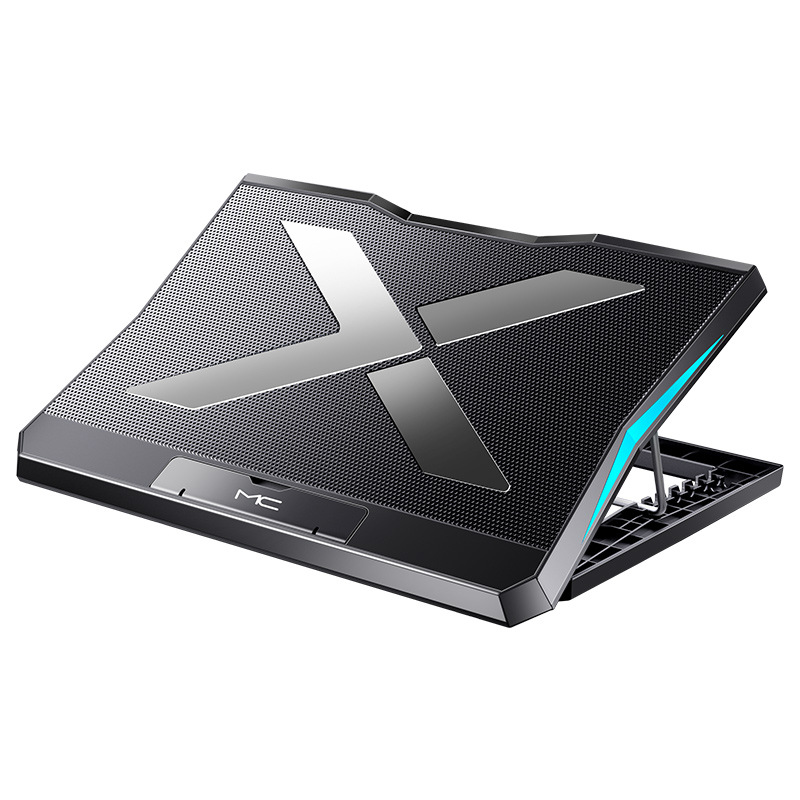
- Markings: The unit in the photos has "MC" on the front edge
- SKU: CJYX122104401AZ
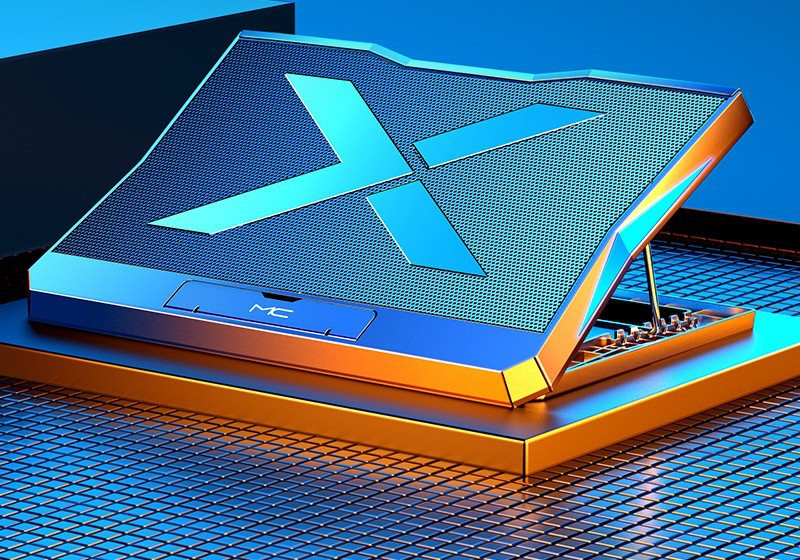
The supplier does not publish fan speed, airflow, noise level or power draw, so we cannot give you those figures. The photos show a blue glow from the fans and side panels. The listing text does not mention lighting or say whether it can be turned off.
Will Your Laptop Fit?
The supplier lists notebooks and ultrabooks in general and gives no screen-size range. Use the dimensions instead:
- Measure your laptop's base. The pad is 368 mm wide and 273 mm deep. A laptop about that size or smaller sits fully on the mesh. A larger one will overhang, which still works but is less stable.
- Find your vents. Turn the laptop over. Coolers help most when the intake grilles are on the underside, over the fans. If your laptop draws air only through the hinge or the keyboard, the airflow matters less and the raised angle is the main benefit.
- Check you have a spare USB port. The pad needs one. The second USB socket on the pad is there so you do not lose the use of that port.
If you would like us to check a particular model, send us its dimensions.
Setting the Angle
The top panel hinges up from the base and rests on a fold-out metal support that sits in a row of notches, as the photos show. Each notch gives a different tilt. A low setting suits typing. A higher one brings the screen closer to eye level, which the supplier points out is easier on the neck and wrists over a long session. If you use the highest settings every day, an external keyboard makes typing more comfortable.
How to Use It
- Place the pad on a flat, hard surface and choose the angle before putting the laptop on.
- Flip up the stop at the front edge so the laptop cannot slide forward.
- Plug the USB cable into the pad and into a USB port on the laptop or a powered hub.
- Check that the laptop's rear exhaust is not pushed up against a wall or a monitor stand.
What to Expect
A cooling pad supports the laptop's own cooling. It does not replace it. How much difference you see depends on where the vents are and how hard the machine is working. Thin office laptops gain mostly from the raised angle and clear airflow. Gaming and editing laptops with large underside intakes tend to benefit more. If a laptop runs hot even at idle, the usual causes are dust in the internal fan or dried thermal paste, and no external pad will cure those.
Care
Unplug the pad and brush or blow dust off the mesh and out of the fans every few weeks. Dust on the pad ends up inside the laptop. Wipe the body with a dry cloth, keep drinks away from it and do not run it with the fans blocked by a blanket or cushion.
Who It Suits
Gamers and editors whose laptops get hot under load, home workers who want the screen a little higher, students using a laptop on a desk for hours at a stretch, and anyone who has noticed the internal fan getting louder.
Common Questions
How is it powered? By USB. A cable is included. A wall plug is not.
Can I control the fan speed? The supplier does not mention a speed control.
Does it fold? The stand folds down flat to 28 mm thick for storage.
Which laptop sizes does it take? No range is given. Compare your laptop's base with 368 x 273 mm.
Buy the Foldable Laptop Cooling Pad at Easy Life Markets
You can order the cooling pad on this page. The current price and availability are shown on this page. Please read our return and refund policy before buying.
Related Products
Browse our computers and laptops and electronics collections.
Product Photos