Wireless Display Dongle – HDMI Screen Mirroring Receiver for Phone to TV, 1080P, 2.4G or 5G


Wireless Display Dongle – HDMI Screen Mirroring Receiver for Phone to TV, 1080P, 2.4G or 5G
Wireless Display Dongle – HDMI Screen Mirroring Receiver, 1080P
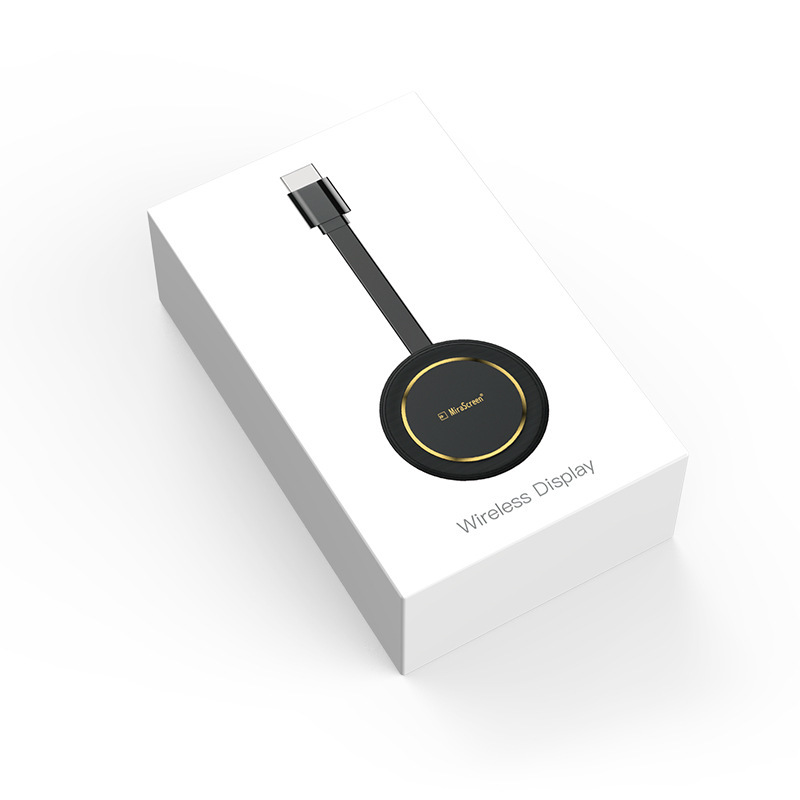
This wireless display dongle plugs into the HDMI port of a TV, monitor or projector and shows your phone, tablet or laptop screen on it without a cable between them. It is a small black disc on a short flat HDMI lead, listed with a 1920 × 1080 output, and it comes in 2.4G, 5G and dual-band versions. Easy Life Markets sells each version as a single receiver.
Screen mirroring is the simplest way to put holiday photos, a presentation or a video call on a big screen. The dongle sets up its own wireless link with the phone, receives a compressed copy of the display, and plays it out over HDMI. On Android phones and Windows laptops that link is usually Miracast. The supplier lists both Android and iOS under system requirements.
What Is in the Box
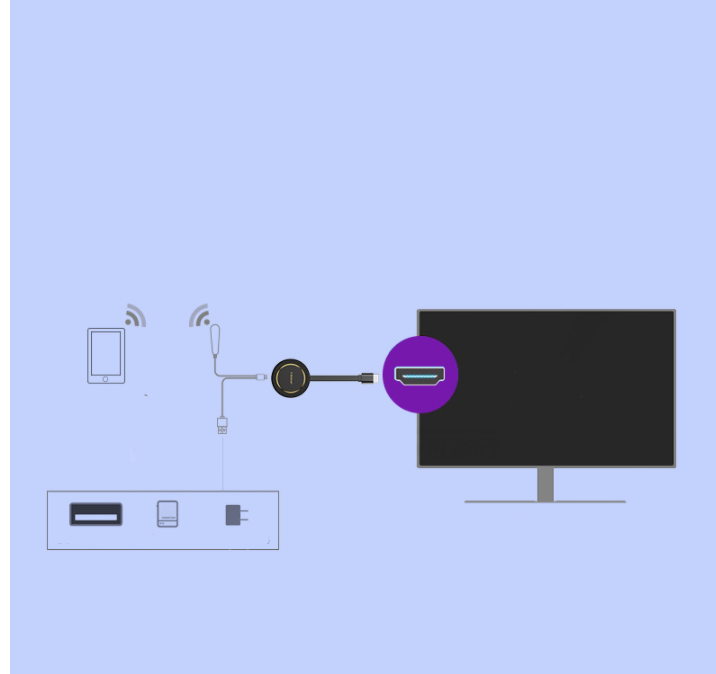
The supplier does not publish a packing list for this product. Its photos show the receiver in a white box marked "Wireless Display", and a connection diagram with a USB lead for power. We would expect the receiver and its power lead, but we cannot confirm the contents from the supplier's data. A USB power adapter is not shown.
Versions
- 2.4G, Wireless
- 5G, Wireless
- 2.4G 5G, Wireless wired
The first two differ in the Wi-Fi band they use. The 5 GHz band is less crowded and usually gives a smoother picture at short range, while 2.4 GHz reaches further through walls. The third option is dual band and is labelled "wireless wired" by the supplier, with no explanation of what the wired part covers. If that matters to you, ask us before ordering and we will put the question to the supplier.
Specifications
- Output: HDMI
- Output resolution: 1920 × 1080
- System requirements: Android, iOS
- Menu languages: Chinese and English
- Function: Wireless link
- Disc diameter: 63 mm
- Lead length: 77 mm
- Thickness: 14 mm, from the supplier's drawing
- Audio formats listed: MP3, WMA, WAV, OGG, FLAC, DTS, AAC, AC3, APE
- Built-in storage: None
One of the supplier's pictures shows a 4K label beside 1080P. The written specification says 1920 × 1080, and that is the figure we list.
About the Markings and the Old Title
The receiver in the photos is marked MiraScreen. We have not verified the maker and list it without a brand claim of our own. The supplier's original title also mentioned a video website and a set-top box model. Neither describes this product. It is a screen mirroring receiver with no channels or apps of its own.
What Mirrors Well and What Does Not
- Works well: photos, your own videos, slides, documents, web pages, video calls and most games.
- Often blocked: paid streaming apps. Many of them use copy protection that shows a black picture when the screen is mirrored. That is the app's decision and no mirroring receiver can change it.
- Expect a slight delay. Mirroring compresses the picture, so there is a short lag between phone and TV. It is fine for films and slides and noticeable in fast games.
Will It Work with Your Devices?
- The screen needs a free HDMI input.
- Power. The dongle needs USB power. A TV's USB port often works. A 5V phone charger is steadier.
- The phone or laptop needs a wireless display feature. On Android it goes by names such as Cast, Smart View or Wireless Projection. Apple devices use AirPlay screen mirroring. A few phones leave the feature out, so check yours.
- For the 5G version, the phone must support 5 GHz Wi-Fi.
Setting It Up
- Plug the dongle into the TV's HDMI port and connect its USB lead to power.
- Switch the TV to that HDMI input. A standby screen with the dongle's name and instructions should appear.
- Follow the on-screen instructions for your phone type and choose the dongle in the phone's cast or screen mirroring menu.
- Keep the disc hanging clear of the back of the TV. The flat lead is there so the receiver is not shielded by the set.
If the Picture Stutters
- Move the phone closer and keep it in the same room as the TV.
- Power the dongle from a phone charger. Some TV USB ports cannot supply enough current.
- Switch off other heavy Wi-Fi use nearby, or choose the 5G version if your home network is crowded.
- Restart the mirroring session. A phone that has just woken from sleep sometimes sends a poor stream.
Who It Suits
People with an older TV that has HDMI but no casting, presenters who move between meeting rooms, teachers showing a tablet to a class, and travellers who want their phone on a hotel TV.
Common Questions
Does it need home Wi-Fi? Mirroring uses a direct link between phone and dongle. Some functions on receivers of this type use the home network, and the on-screen guide covers that.
Does it have apps or channels? No. It shows what is on your device.
Does it take memory cards? The supplier's table lists card formats, but the photos show no card slot, so we do not claim one.
Will it work in a car? Only on a screen with an HDMI input. For factory CarPlay screens, see our CarPlay HDMI adapter.
Buy the Wireless Display Dongle at Easy Life Markets
Choose your version above. The current price and availability are shown on this page. Please read our return and refund policy before buying.
Related Products
Browse our TVs and home theater and electronics collections.
Product Photos