USB C Hub Docking Station – Metal Type-C Hub with 4K HD, USB 3.0 and PD, 4-in-1 to 8-in-1


USB C Hub Docking Station – Metal Type-C Hub with 4K HD, USB 3.0 and PD, 4-in-1 to 8-in-1
USB C Hub Docking Station – Metal Type-C Hub with 4K HD, USB 3.0 and PD
This USB C hub docking station turns one Type-C port on a notebook into several: a 4K HD video output, USB ports for drives and accessories, and a Type-C socket for pass-through charging. It is offered in four versions, from four-in-one up to eight-in-one, and the larger versions add Gigabit Ethernet and card readers. The body is metal and the hub draws its power from the laptop, with no external power supply of its own. Easy Life Markets sells each version as a single adapter.
Thin laptops have shed their ports. Many now have two or three USB-C sockets and nothing else, which is tidy until you need a monitor, a memory stick and the charger connected together. A hub like this hangs off one port on a short cable and gives the others back.
The Four Versions
- Four in one: Type-C to PD, 4K HD, USB 2.0 and USB 3.0
- Five in one: Type-C to PD, 4K HD and three USB 3.0 ports
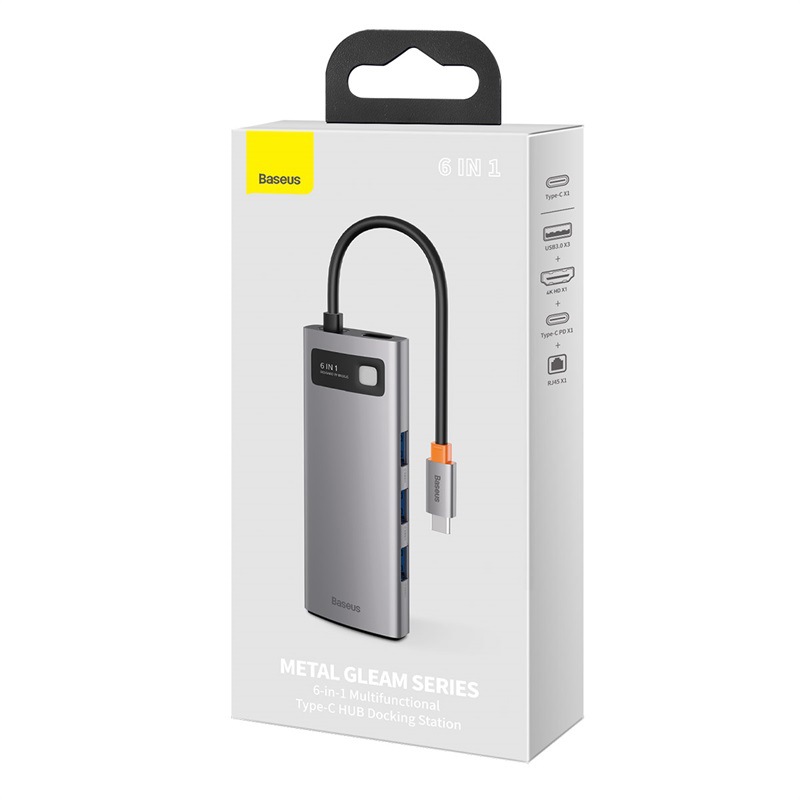
- Six in one: Type-C to PD, 4K HD, three USB 3.0 ports and a Gigabit Ethernet port
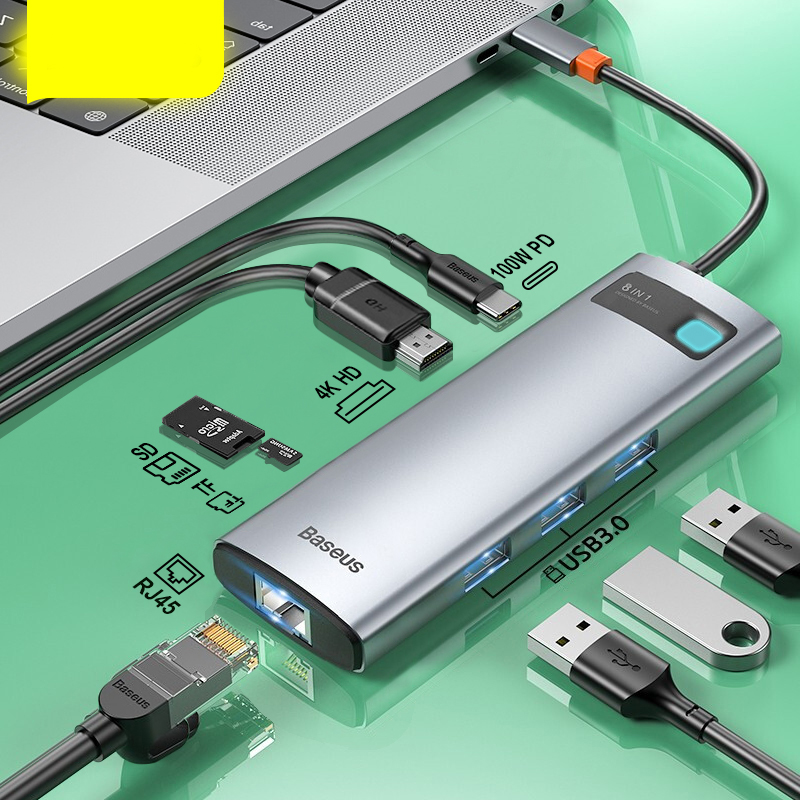
- Eight in one: Type-C to PD, 4K HD, three USB 3.0 ports, Gigabit Ethernet, SD and TF card slots
Choose the version in the selector. The packing list for each is one adapter.
Specifications
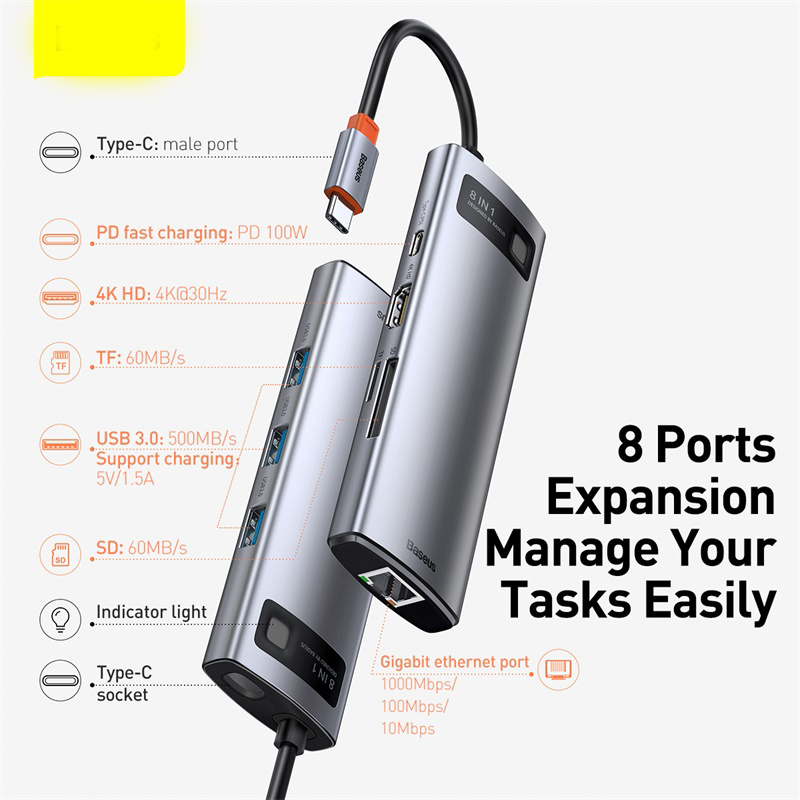
These figures come from the supplier's diagram of the eight-port version:
- Connector to laptop: Type-C male, on a fixed cable
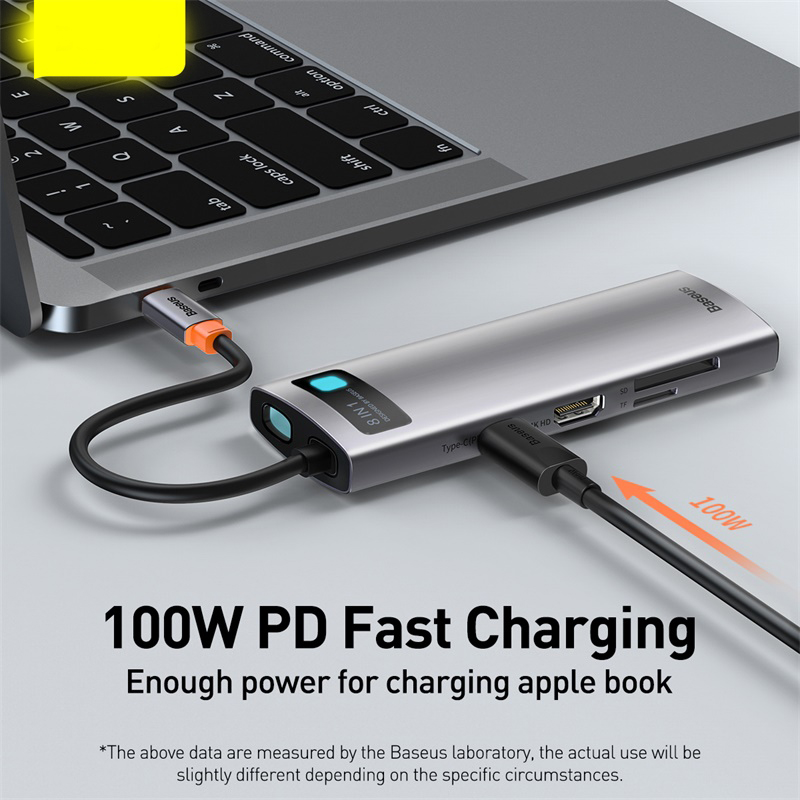
- PD charging pass-through: Up to 100W through the Type-C socket
- Video output: 4K at 30Hz
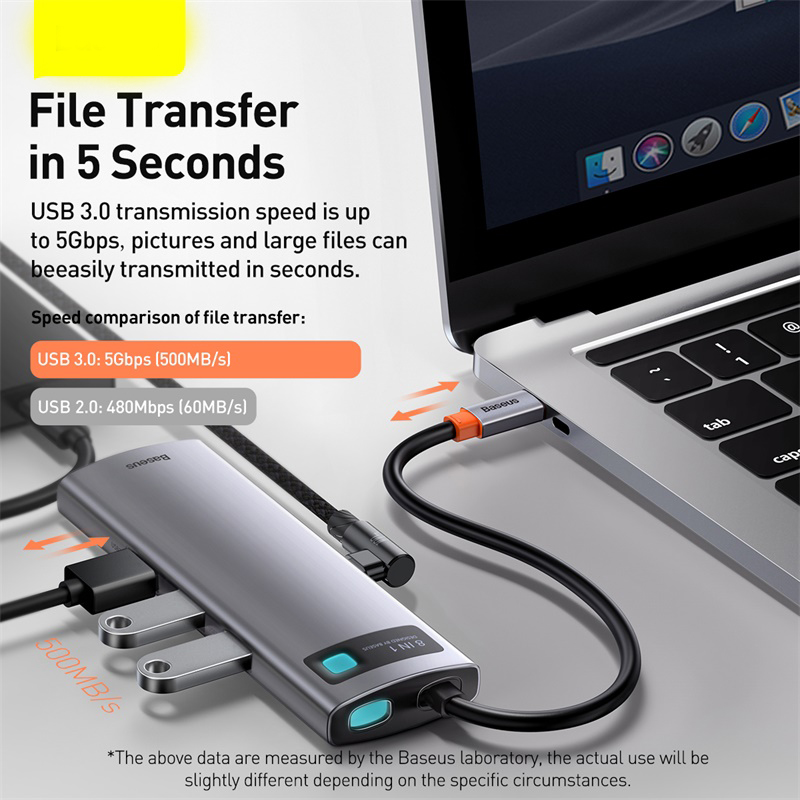
- USB 3.0: Up to 5 Gbps, with 5V 1.5A charging output
- Ethernet: 1000 / 100 / 10 Mbps
- SD and TF card slots: Listed at 60 MB/s
- Indicator light: Yes
- External power supply: None
- Housing: Metal
The supplier notes on its pictures that the data was measured in a laboratory and that real use will differ slightly depending on circumstances.
About the Markings
The supplier lists the model as "Baseus Metal Shimmer". The hub and the retail box in the supplier's photos carry Baseus markings, and the box reads "Metal Gleam Series". We are reporting what the listing and the photos show. We have not verified the brand independently, so we list the hub without a brand claim of our own.
Will It Work with Your Laptop?
A hub can only pass on what the laptop's port provides, so check the port, not just the plug shape:
- Video. The laptop's Type-C port must support video output, often called DisplayPort Alt Mode, or be a Thunderbolt port. A charge-and-data-only port will run the USB sockets but not a monitor.
- Charging. Pass-through charging needs a laptop that charges over Type-C and a PD charger of your own. The hub itself uses some of the power, so the laptop receives a little less than the charger's rating.
- Refresh rate. The video output is 4K at 30Hz. That is fine for documents, video and presentations. For fast gaming at 4K you would want 60Hz, or you can run the monitor at a lower resolution.
- Phones and tablets. Some Type-C phones and tablets support hubs. The supplier lists notebooks, so check your device's own documentation.
If you are not sure what your port supports, send us the laptop model and we will help you check.
Which Version to Pick
If you only need a monitor, a mouse and a memory stick, the four-in-one covers it. The five-in-one suits people with several USB 3.0 drives. Pick the six-in-one if you want a wired network connection, which is steadier than Wi-Fi for video calls and large downloads. Photographers and anyone moving files from cameras or dash cams will get the most from the eight-in-one with its card slots.
Using It
- Plug the hub into the laptop first, then connect the charger to the PD socket, then the monitor and other devices.
- Eject drives and cards in the operating system before unplugging the hub.
- Portable hard drives that draw a lot of current work best with the charger connected.
- The metal body gets warm in use. That is normal for a bus-powered hub. Give it some air and do not cover it.
If Something Does Not Work
- No picture on the monitor: Confirm that the laptop's Type-C port supports video, try the other Type-C port if there are two, and reseat the video cable.
- Laptop not charging through the hub: Use the charger that came with the laptop and check that it is plugged into the PD socket, not a data port.
- A drive keeps disconnecting: Connect the charger so the hub has more power to share, and move the drive to a different port.
Who It Suits
Owners of thin notebooks with few ports, people who dock a laptop at a desk each morning, and travellers who present from a projector or hotel TV.
Common Questions
Does it need its own power supply? No. It is powered from the laptop. A charger is only needed for pass-through charging.
Is a charger or video cable included? No. The packing list is one adapter.
Can it run two monitors? It has one video output.
Does the four-in-one have Ethernet? No. Ethernet is on the six-in-one and eight-in-one.
Buy the USB C Hub Docking Station at Easy Life Markets
Choose your version above. The current price and availability are shown on this page. Please read our return and refund policy before buying.
Related Products
Browse our computers and laptops and electronics collections.
Product Photos